
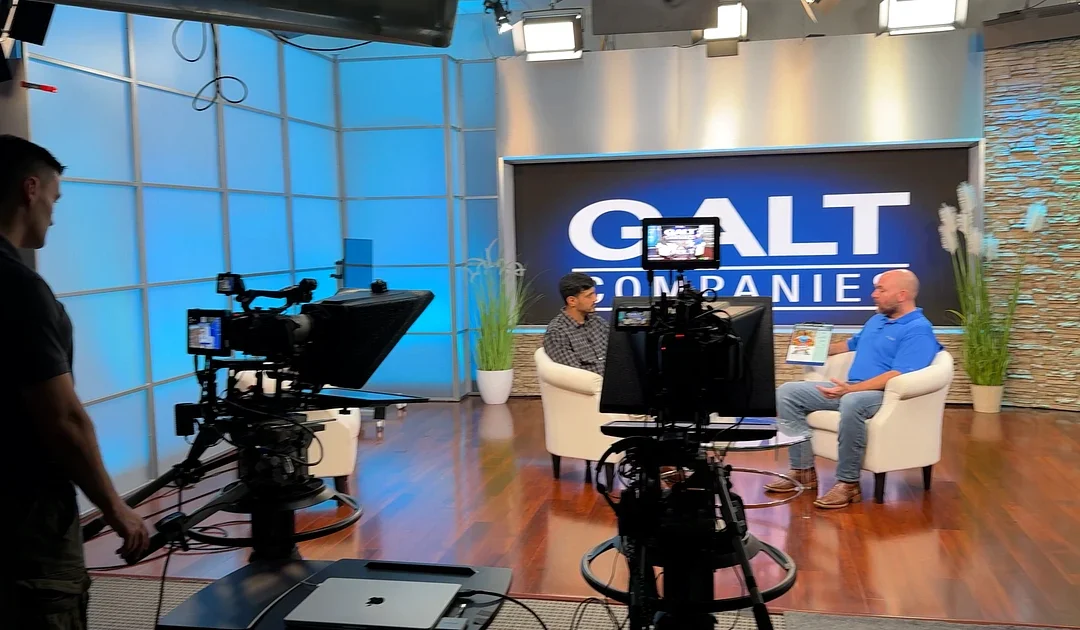
Multiple cameras do not automatically create useful coverage. The angles have to support the edit, preserve believable eyelines, show the set intentionally, and leave the crew enough room to operate.
The best time to plan camera angles for an interview is before equipment begins moving into the studio. A simple coverage map can protect the schedule and help the director, cinematographer, audio team, lighting team, and client agree on what the finished program should look like.
Begin with the edit
Decide how the program will be assembled. A live-switched conversation needs continuous coverage that can be cut in real time. A recorded interview may allow pauses, resets, pickups, or a second pass for alternate framing.
Define the essential shots:
- A wide shot that establishes the participants and environment
- A medium or two-shot for conversational exchanges
- A close or medium-close shot for each principal speaker
- A host or moderator angle, when applicable
- Product, demonstration, or graphic inserts
- Optional behind-the-scenes or social crops
Every camera should have a clear editorial job. If two cameras create nearly identical frames, one of them may be more valuable in a different position.
Protect the eyeline
In a two-person interview, the subjects should appear to look toward each other. Place close-up cameras on the same side of the imaginary line running between the participants. Crossing that line without a deliberate visual transition can make both speakers appear to face the same direction.
The interviewer’s physical position matters even when that person will not appear on camera. If a speaker is addressing an off-camera interviewer, mark the interviewer’s location before setting the close-up. Small eyeline changes can make an answer feel either connected or detached.
For a direct-to-camera leadership message, confirm which camera is the primary lens and where any teleprompter will be placed. Secondary angles should not distract the speaker from the intended address.
Match shot sizes to the program
A corporate interview often benefits from restrained, consistent framing. A talk show or branded program may use a wider set reveal, more visible background content, and greater variation between cameras.
Before production, identify:
- The widest group composition
- The tightest close-up
- Whether hands, products, or demonstrations must remain in frame
- Whether the edit needs vertical or square social versions
- How much of the practical set or LED-wall content should be visible
If vertical versions are required, test them on the actual camera frames. A composition that works in 16:9 can lose a second participant, a product, or important wall content when cropped.
Use the set as part of the composition
A practical set provides visual depth, texture, furniture, and background elements that can help distinguish angles. Avoid placing every camera against the same flat background. Use changes in perspective to reveal different parts of the set while keeping the shots visually related.
Atlanta Video Studio Rental’s practical broadcast set supports multiple shooting angles. The 13-foot LED video wall and separate monitor on the right wing can place different visual information within the set. When using those displays, confirm which camera sees which screen and whether every graphic remains legible at the planned shot size.
Check camera and lighting clearance
A camera position that looks good on a floor plan may conflict with a light, microphone, teleprompter, monitor, cable path, or another camera. Walk through each angle with the complete equipment plan.
Look for:
- Tripod and support clearance
- Operator movement
- Lens and teleprompter height
- Boom and microphone clearance
- Reflections from displays, glass, or furniture
- Cables crossing talent or crew paths
- Lights visible in wide shots
- Camera shadows on the background
Outside crews may bring their own equipment. Existing ceiling lighting is available, and limited additional equipment can be scoped separately. Share unusual rigs, long lenses, jibs, sliders, or teleprompter requirements before the booking.
Build a coverage diagram
A useful diagram does not need to be elaborate. Mark the participants, furniture, primary background, cameras, interviewer, monitors, lighting zones, audio positions, and crew paths. Add the intended shot size next to each camera.
Then create a short technical checklist:
- Camera format, frame rate, and color settings
- Lens range for each position
- White balance and exposure reference
- Audio routing and scratch-track plan
- Timecode or synchronization method
- Monitoring and client-viewing plan
- Recording and backup responsibility
- Live-switching responsibility, if applicable
Rehearse the difficult moment
Do not use the rehearsal only to confirm that everyone can be seen. Test the moment most likely to stress the coverage: a handoff between speakers, a product reveal, a standing move, a remote contribution, a graphic cue, or several people speaking at once.
Watch the primary frames, confirm focus and exposure, listen to the audio, and check that every operator can work without entering another shot. A short rehearsal often reveals a problem that is much easier to solve before the formal recording begins.
Plan your interview studio day
Explore the broadcast and talk-show set and the LED video wall studio. Send your preferred date, participant count, crew plan, and coverage requirements through the availability form or call 877-974-8364.
Recent Comments