
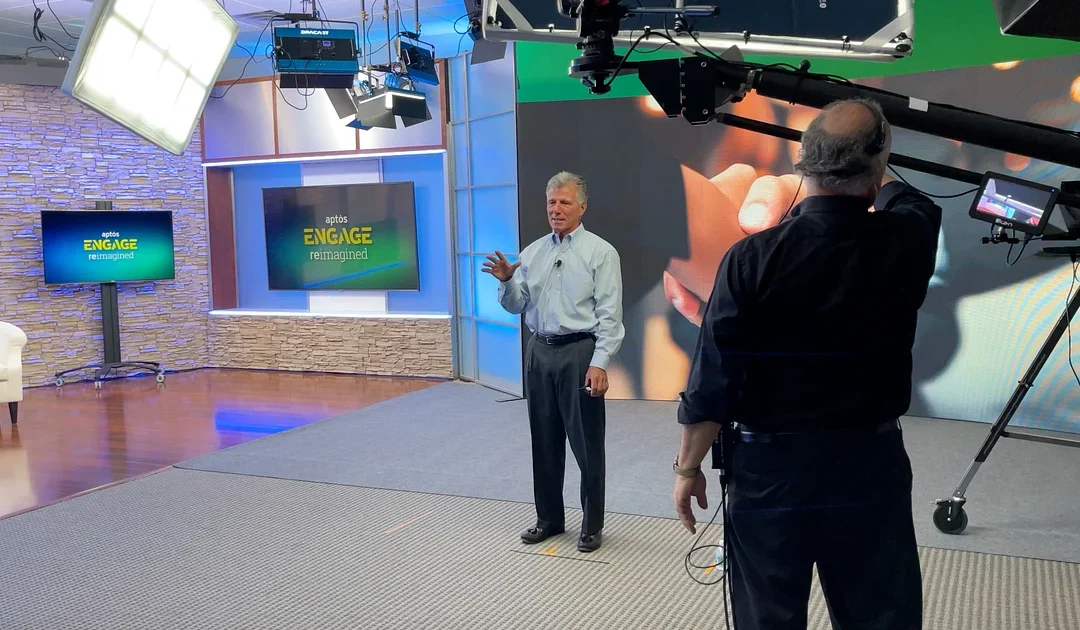
An outside-crew studio rental gives a production company control over its established workflow while providing a dedicated location. It works best when the crew and studio agree in advance about equipment, access, technical responsibilities, and optional support.
Atlanta Video Studio Rental allows outside production companies to bring their own crew and equipment. The following planning process helps protect the production day.
Send a crew and equipment summary before arrival
The studio does not need every serial number, but it does need enough information to understand the footprint and technical requirements.
Include:
- Number of crew members, clients, and on-camera participants
- Camera count and support type
- Lighting and grip packages
- Audio and communications plan
- Teleprompter, jib, slider, dolly, or specialty support
- Monitors, playback, and client-viewing needs
- Recording format and media plan
- Livestreaming or remote-contribution requirements
- Cases, carts, and unusual load-in needs
This summary helps the studio anticipate floor space, power, cable paths, staging, and support-room use.
Define what the crew will provide
Do not assume that a familiar item is automatically part of the rental. Assign responsibility for each production function.
For camera, confirm bodies, lenses, tripods, media, batteries or power, synchronization, and monitoring. For audio, confirm microphones, stands or booms, mixer or recorder, cabling, headphones, and the person responsible for the final recording. For lighting, identify what the crew will use in addition to the existing ceiling lighting.
The studio has limited lighting, audio, and grip equipment available. Any equipment supplied by the studio should be confirmed in the quote. If an item is essential, list it by function and do not rely on an unconfirmed assumption.
Decide who owns recording and media management
At the end of the day, everyone should know where the recordings are and who has verified them.
Confirm:
- Which devices are recording
- Who supplies media
- Who labels and tracks cards or drives
- Whether a backup recording is required
- Who checks files before equipment is struck
- What the studio is expected to deliver, if anything
- Whether post-production is part of the scope
For a live or switched production, also identify the program recording, isolated camera recordings, presentation playback, graphics, and any remote feeds.
Plan the practical set around the gear
The practical broadcast set supports multiple shooting angles, but the final camera positions depend on the production’s equipment and framing. A large camera package, teleprompter, jib, or wide group shot may require different floor planning than a two-camera seated interview.
Send a reference frame or sketch when possible. Include the intended seating, number of participants, widest shot, tightest shot, and whether the 13-foot LED video wall or separate right-wing monitor will appear in the composition.
Treat control-room space as a separate decision
Not every shoot needs a control room. A straightforward recorded interview may be managed from the production floor. A live-switched program, multi-source recording, remote contribution, or complex playback plan may benefit from dedicated technical space.
Control-room space is available for an additional fee. Describe the switching, recording, monitoring, communications, and staffing plan so the studio can determine whether it should be included.
Protect access and safety
The studio has street-level access and onsite parking. Before arrival, determine who is responsible for directing vehicles, moving cases, staging equipment, protecting cable paths, and maintaining clear exits and walkways.
Use appropriate floor protection and approved cable-management methods. Keep cases, food, beverages, and personal items in designated areas. Review the current studio-rental policies before the production and ask about any requirement that affects your crew or equipment.
Use the onsite studio manager effectively
An onsite studio manager is available during the rental. That person can help the crew understand the space, identify approved set configurations, and resolve facility questions. The manager is not a substitute for production roles that were not included in the scope.
Assign one crew lead to communicate with the studio. A single operational contact keeps decisions clear when the schedule is moving quickly.
Build a clean handoff at wrap
Before striking the final setup, confirm that the necessary recordings exist and that the client has approved any required pickup shots. Return studio-controlled items to the agreed location, remove crew equipment and waste, and leave enough time for load-out within the booking.
The goal is a complete handoff: the crew has its media, the client has the expected material, and the studio can close the booking without uncertainty.
Request an outside-crew studio rental
Review the studio overview and practical-set services. Send your preferred date, crew count, equipment summary, set choice, and technical needs through the availability form or call 877-974-8364.
Recent Comments